App Manual
Step-by-step guide to using NutritionCam
Timeline Home
Your daily meal feed — log meals, view nutrition, and track your progress.
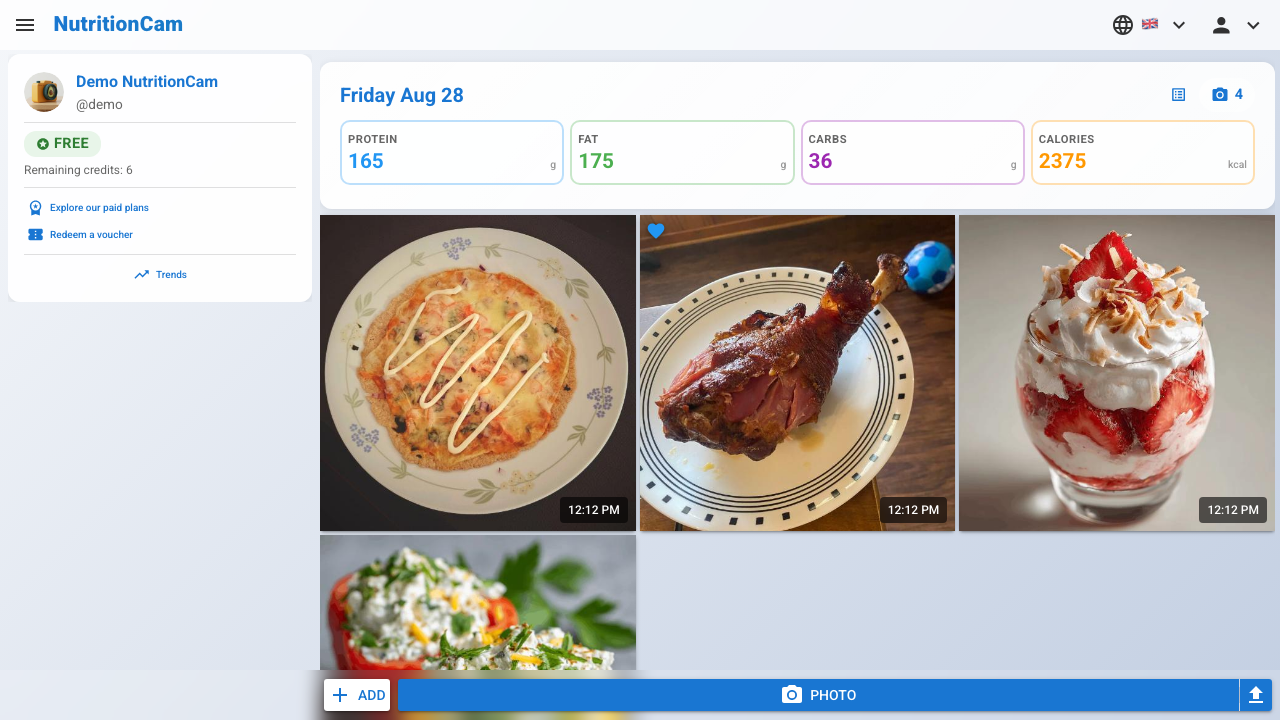

info_outlineYour chronological feed of logged meals.
1
Tap a day header to see the full daily overview with nutrition totals.2
Tap a meal photo to view its nutritional breakdown.3
Add a meal from favorites, by description, or other methods.4
Take a photo of your meal for instant AI-powered nutrition analysis.5
Upload a photo from your gallery or files.Photo Detail
See the AI-powered nutritional breakdown of a photographed meal.
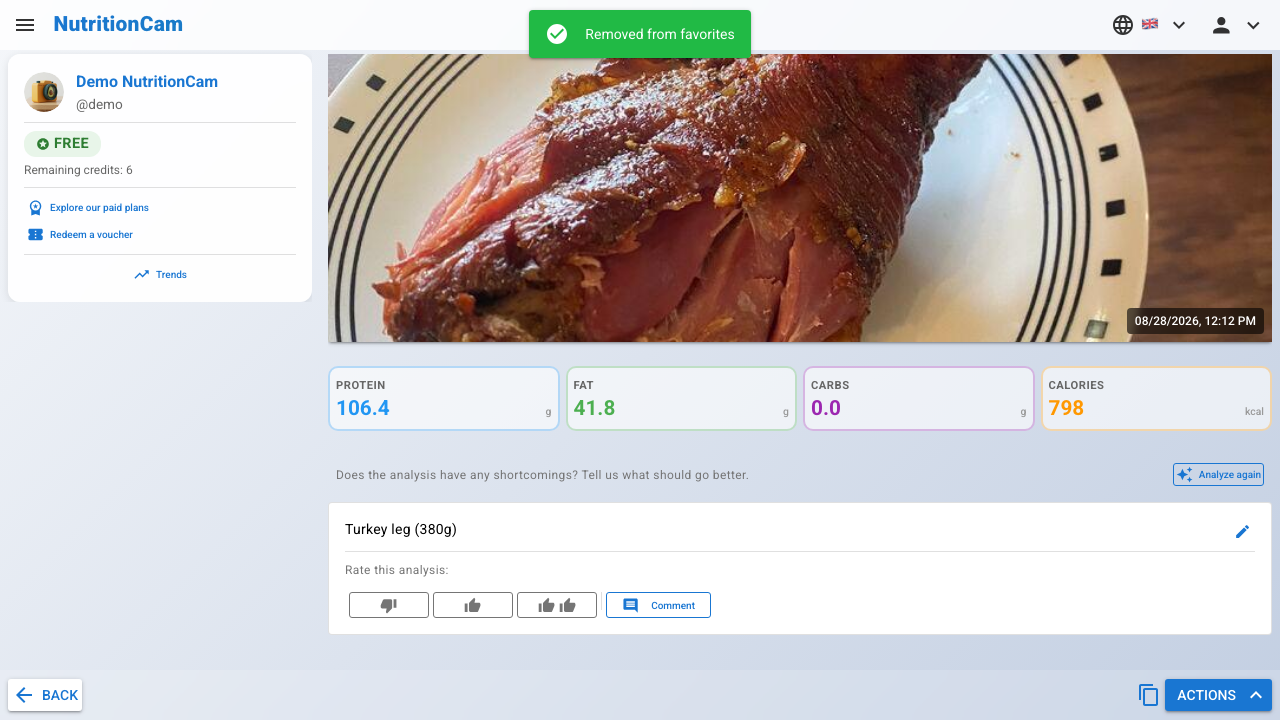
info_outlineDetailed nutritional breakdown of a photographed meal.
1
Copy this meal to today's log.2
Macro nutrient breakdown — calories, protein, fat, carbs, fiber, and more.3
Rate the analysis: thumbs down (triggers free re-analysis), thumbs up, or double thumbs up.4
Not happy with the analysis? Provide feedback to trigger a free re-analysis.5
The analysis feedback dialog — describe what's wrong with the current analysis.6
Enter your feedback — e.g. "the portion size is too large" or "missing the rice on the side".Ingredient Editing
Add, search, and manage ingredients in your meal analysis.
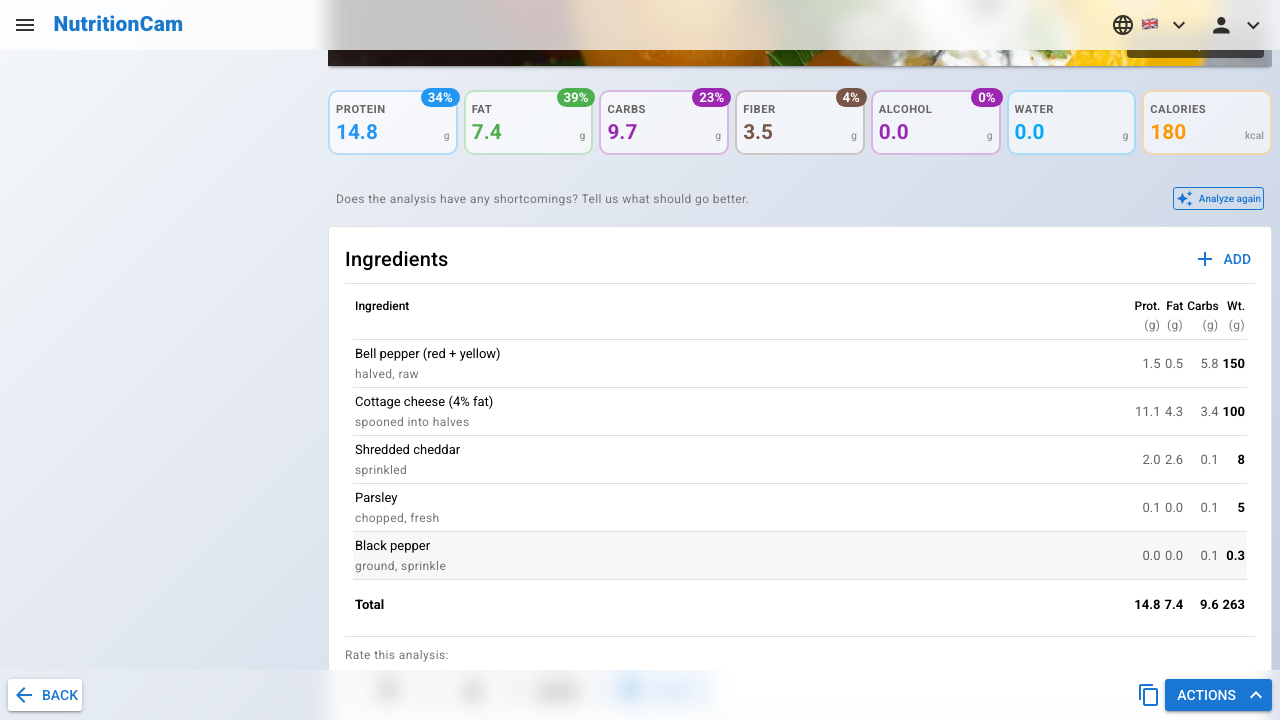
info_outlineThe ingredient list on Standard accounts is fully editable — add, search, and remove ingredients.
1
Add a missing ingredient that wasn't detected by the analysis.2
The ingredient lookup dialog — search by name or browse your custom ingredient library.3
Type an ingredient name to search the database.4
Switch to the Library tab to pick from your custom ingredients.Photo Favorite
Save and manage your favorite meals for quick re-logging.
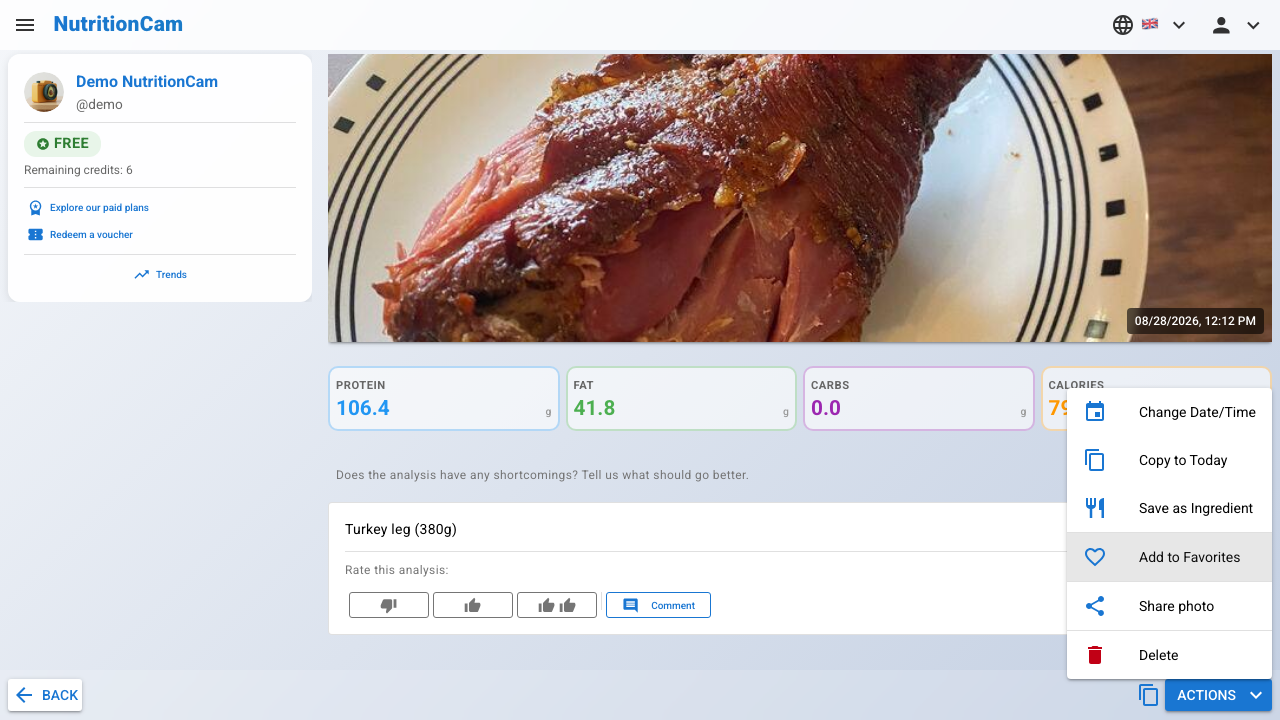
info_outlineUse the actions menu to add or remove meals from your favorites.
1
Add this meal to your favorites.2
The filled heart icon confirms this meal is now a favorite.3
Remove this meal from your favorites.User Profile
Manage your personal info, dietary preferences, and privacy settings.
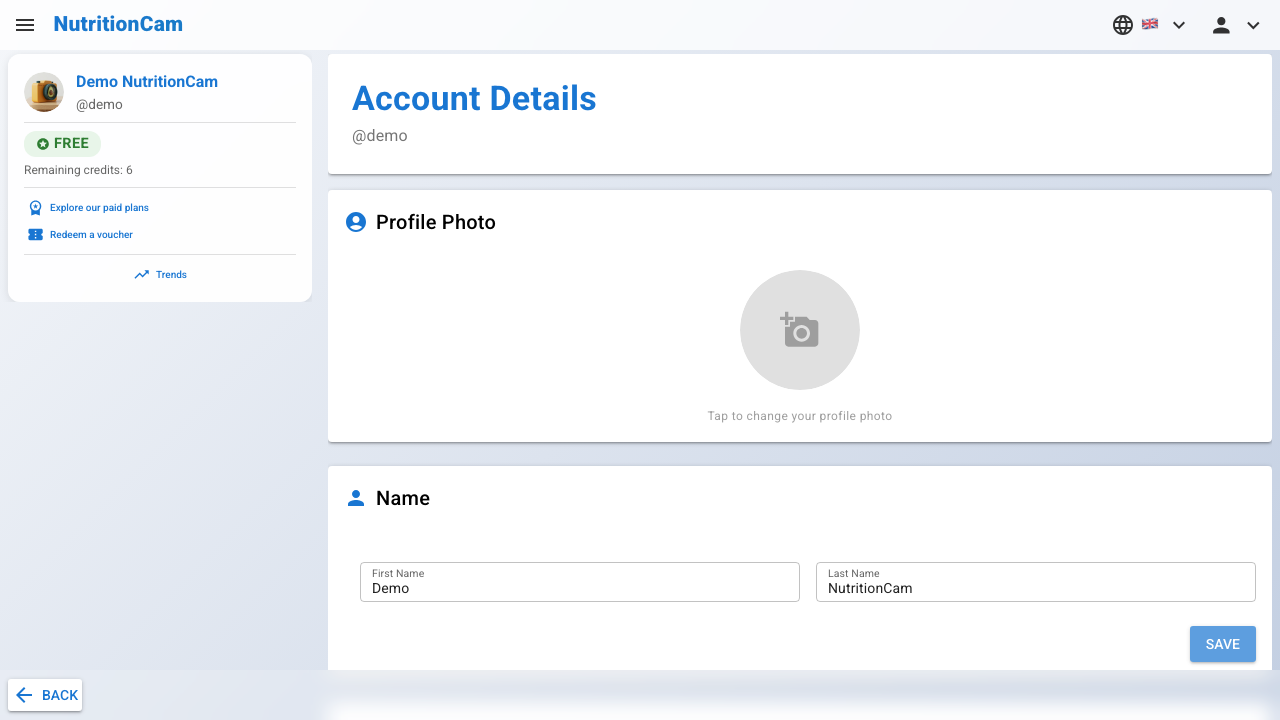
info_outlineYour profile page lets you manage personal info, dietary preferences, and privacy settings.
1
Upload or change your profile photo.2
Set your first name and last name.3
Add a short bio to tell others about yourself.4
Your unique username and profile URL. Tap to expand and edit.5
Add your website, social media links, or other contact details.6
Specify allergies, dietary restrictions, and notes for personalised nutrition guidance.7
Choose the app language. Changes apply immediately.8
Choose which nutrition data to show — calories, macros, micros, and ingredient detail.